
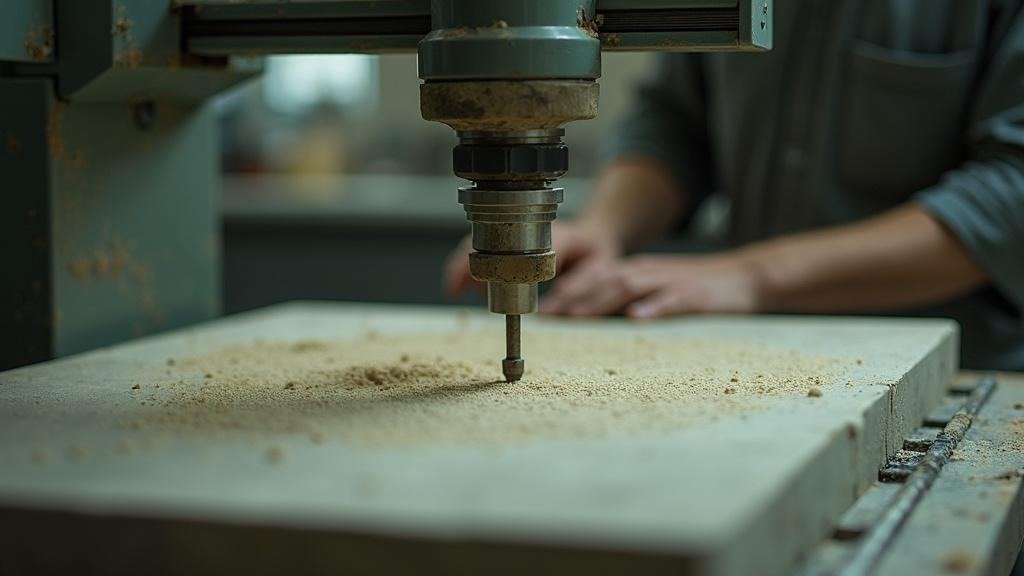
I was helping a friend price out a job last spring. Two slabs, three sink cutouts, L-shape kitchen. He had measurements on a legal pad, a quote in a Word doc, and no real idea how much stone he was wasting per slab. Sound familiar? That gap between how most small shops operate and how they could operate is exactly why I put this list together.
1. SlabWise
Verdict: Best all-in-one for shops that cut on CNC and want to stop losing money on slab waste.
What separates this one is the AI nesting. It places multiple jobs onto a slab with vein direction and book-match logic already built in, something that used to require an experienced hand and a lot of guesswork. The DXF middleware layer checks your geometry and validates sink cutout dimensions before anything goes to the machine, which catches the kind of error that costs you a $400 remnant. Quoting pulls measurements straight from the DXF, lets you present three price tiers (Good/Better/Best materials), collects e-signature and Stripe payment in the same flow. The company’s own figures show meaningful drops in waste and higher quote acceptance with tiered pricing. Cloud-based, no install. Pro tier runs around $299/month for unlimited jobs. The $1 seven-day trial is worth doing before anything else on this list.
2. Moraware CounterGo
Verdict: The fastest purpose-built quoting tool with the deepest install base.
Over 2,600 fabricators use Moraware products. CounterGo handles drawing, measuring, and quoting inside one browser-based tool. Around $100 per user per month. It does not handle scheduling or job tracking natively, so most shops pair it with Systemize.
3. Moraware Systemize
Verdict: Solid production scheduling once you already have a quoting workflow.
Systemize is Moraware’s job-tracking and scheduling side. Pricing starts around $200/month and scales to $400+ depending on modules, with a $50/user charge beyond five seats. Shops that outgrow a whiteboard usually land here.
4. ActionFlow
Verdict: Workflow automation for shops ready to stop chasing paper.
ActionFlow focuses on moving jobs through defined stages automatically, triggering tasks and notifications without manual follow-up. It integrates with other shop tools. Best fit for operations that have their quoting and cutting dialed in but lose time on internal handoffs.
5. FabSuite
Verdict: Full shop management with strong inventory tracking.
FabSuite covers job scheduling, inventory, and shop floor tracking in one system. It skews toward mid-size and larger fabricators. If you are managing a meaningful slab inventory and multiple crews, this has more structure than lighter tools.
6. SigmaNEST
Verdict: Industrial-grade nesting for high-volume CNC operations.
SigmaNEST is not stone-specific. It is a serious CNC nesting engine used across metal, glass, and stone. Yield optimization at this level requires setup time and technical knowledge. Overkill for a three-person shop, but genuinely powerful at volume.
7. EasySTONE / EasyStoneShop
Verdict: CAD/CAM plus shop management in one package, entry around $150/month.
EasySTONE combines design, CNC toolpath generation, and basic shop management. European roots, but actively sold in the US market. The CAD environment has a learning curve. Good option if you want CNC prep and quoting without buying two separate tools.
8. SlabWare (by Moraware)
Verdict: Distribution and slab inventory tracking, not a fabrication workflow tool.
SlabWare handles slab distribution and inventory for suppliers and distributors, not shop-floor job management. Worth knowing the distinction before you confuse it with other tools on this list.
9. QuickBooks + Custom Spreadsheets
Verdict: Still running in a surprising number of profitable shops.
Not glamorous. QuickBooks handles billing and taxes well. A well-built spreadsheet can do basic job costing. The ceiling is low and errors compound, but the startup cost is near zero and the learning curve is flat.
10. Google Sheets with Templates
Verdict: A real starting point, not a long-term plan.
Some fabricators share templated sheets for quoting square footage and edge footage. Free. Breaks fast when job volume picks up.
See also: Infinity Beam 913333862 Tech Flow
11. JobNimbus
Verdict: General contractor CRM that some small shops adapt for countertop sales.
JobNimbus is not stone-specific. It tracks leads, sends estimates, and manages follow-ups. A few residential-focused shops use it for the customer communication side while running a separate tool for fabrication. Workable combination at small scale.
12. Buildertrend
Verdict: Project management built for remodelers, occasionally used by countertop subs.
Buildertrend works best if you are a general contractor or a shop doing full kitchen installs, not just stone supply. Using it as a countertop-only tool means paying for features you will never open.
A Quick Note Before You Buy Anything
I have not been paid by any software company on this list. Pricing changes, trial terms change, and what works for a two-person shop in Phoenix may not fit a ten-person operation in New Jersey. Test before you commit, especially for tools with free or cheap trials.
Common Questions
Does a small countertop shop actually need dedicated software, or will QuickBooks and spreadsheets get the job done?
QuickBooks handles invoicing and taxes fine. Spreadsheets handle simple job costing. The real gap shows up in slab yield, where no spreadsheet tracks what stone you are actually wasting per job. If you run CNC and cut more than 15 to 20 jobs a month, the material savings from proper nesting software typically cover the subscription cost fast.
What is the practical difference between SlabWise and Moraware CounterGo for a shop quoting granite and quartz jobs daily?
CounterGo is faster to learn and widely adopted, with quoting and drawing in one browser tool. SlabWise adds AI nesting and DXF validation on top of quoting, so it handles both the customer-facing price and the CNC prep in one flow. If you do your own CNC cutting, SlabWise does more. If you outsource cutting, CounterGo may be enough.
Can Moraware CounterGo and Systemize replace each other, or do shops genuinely need both?
They do different jobs. CounterGo produces the quote and drawing. Systemize tracks the job through production and scheduling after the sale. Many shops run both together because neither covers the other’s ground. Buying only Systemize without a quoting tool leaves a real gap at the front of your process.
Is EasySTONE worth learning if you already know another CAD tool and just want better shop management?
Probably not the easiest path. EasySTONE’s value is the tight connection between its CAD environment and CNC toolpath generation. If you are already comfortable in a separate CAD tool and only need scheduling or job tracking, a lighter option like ActionFlow or Moraware Systemize is less disruptive to learn and likely cheaper at entry.
When does it make sense to look at SigmaNEST instead of a stone-specific nesting tool like SlabWise?
SigmaNEST makes sense when you are running very high CNC volume across multiple materials, not just stone, and need yield optimization at an industrial level. For a shop cutting stone exclusively, the setup complexity and cost of SigmaNEST is hard to justify. Stone-specific tools carry stone logic, like vein matching, that a general nesting engine requires custom configuration to replicate.
Sources
- Moraware official product pages (pricing and user count figures)
- SigmaNEST public product documentation
- EasySTONE North America marketing materials
- Buildertrend and JobNimbus public pricing pages
- SlabWise publicly stated trial and pricing information
